
How a Specialty Contractor Runs 40+ Projects With JobTread's AI Connector
By Meredith Dobbs


Most contractors hear about AI and think of writing emails faster. Jake Gosselin runs most of his back office with it.
Jake is the founder of Churchfront, a specialty contractor based in Melbourne, Florida that designs and installs audio, video, and lighting (AVL) systems exclusively for churches. With a team of 15, Churchfront is managing roughly 40 to 50 active projects across the country from initial consults to full design build installations.
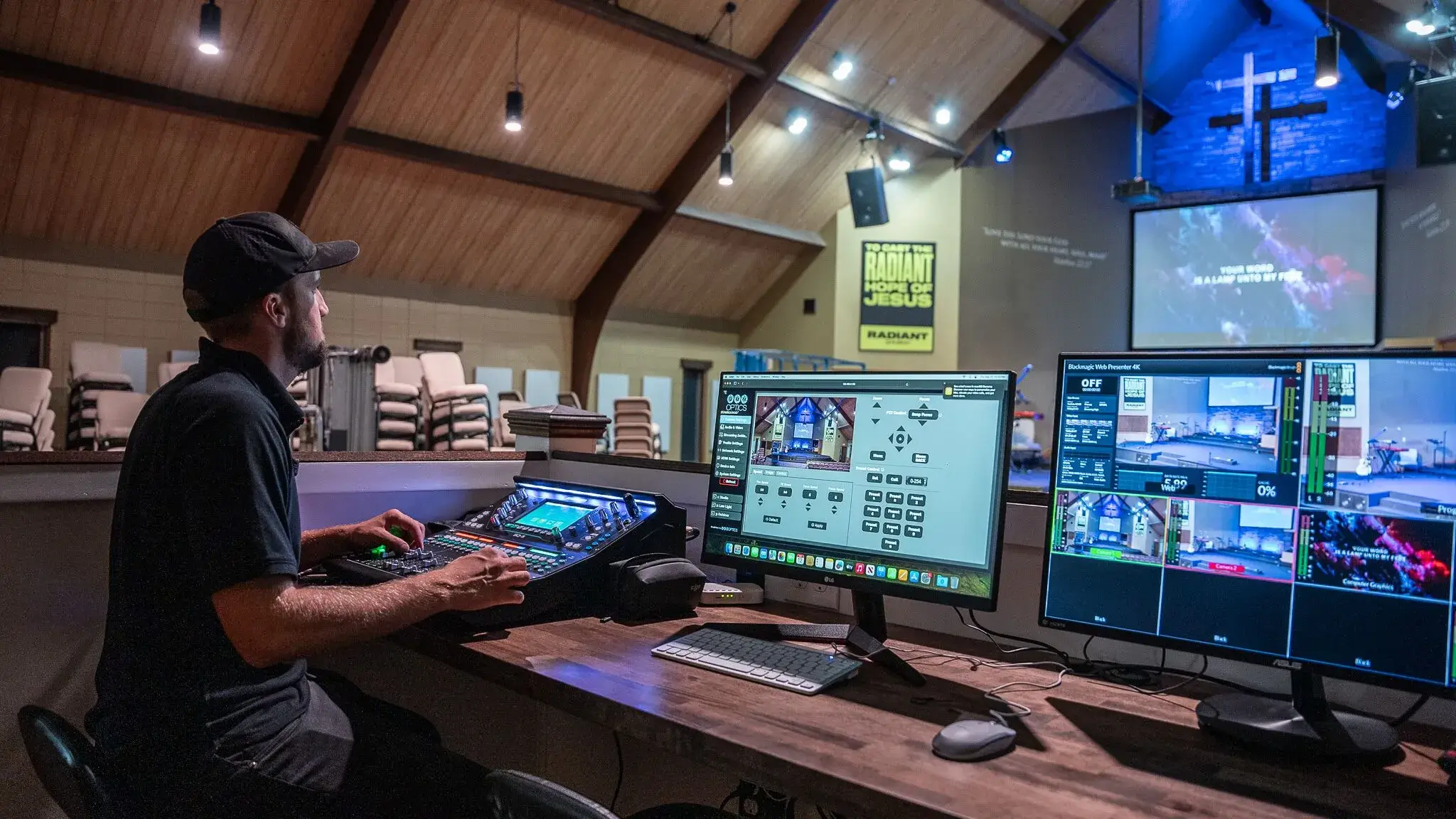
On a recent episode of The Builder Stories Podcast, Jake walks JobTread Founder and CEO Eric Fortenberry through exactly how he connects AI to JobTread to automate procurement, purchase orders, job costing, and even payroll prep. "AI is the only thing that's making this possible without me going crazy right now," he says.
Here is how he did it, and how any contractor can apply the same playbook.
From YouTube Channel to Design Build Firm
Jake's path into construction was anything but typical. He studied music and theology and planned to become a pastor. Working in churches, he realized technology was becoming critical for church leaders, and most of them had no training in it.
About ten years ago, he left full-time church work to teach other church leaders how to use AV. It started as a YouTube channel, which grew quickly from 2017 through 2020, then accelerated when churches had to move online. The channel now has 300,000 subscribers and remains Churchfront's primary lead source. The company spends nothing on ads, yet brings in about a half dozen quality leads every day.
The business evolved from online courses to consulting to what it is today: a consult, design, build AV firm. Churchfront coordinates with general contractors, architects, technicians, and electrical engineers on commercial church projects that can run anywhere from 6 to 9 months for retrofits to 2 to 3 years for new construction.
The Problem: Great Software, No Time to Maintain the Data
Jake's turning point was not a new tool. It was a realization about the tools he already had.
"You guys have built this really incredible repository for very important information for my business," he told Eric. "The major downside, though, until about two months ago [when JobTread released the AI Connector], nobody had time to keep all this data up-to-date and accurate."
His cost catalog was the clearest example. Churchfront carries a large catalog of SKUs from different manufacturers and imports from various vendors had left item names and descriptions inconsistent. The capability was there. The upkeep was not.
That changed when he connected AI directly to JobTread through the AI Connector. Now, when a vendor sends an updated price list, Jake hands it to Claude, which is connected to JobTread and sorts everything to match Churchfront's organization standards. Cost items stay current, which means estimates built from those items stay accurate.
By his estimate, 90 percent of his team's interaction with JobTread now happens through AI rather than manual data entry.
The Method: SOPs and Skill Files
If there is one takeaway from this episode, it is this: AI works when you give it instructions the same way you would train an employee by using SOPs.
Jake builds what he calls SOP documents, sometimes called skill files. SOP stands for Standard Operating Procedure.
Here’s his process:
With the JobTread connection active, open a chat with your AI of choice. Churchfront primarily uses Claude.
Spend 15 to 20 minutes explaining the task and letting the AI work through it with you.
At the end of the chat, ask one question: "What did you learn? Can you write yourself an SOP on how to do this?"
Save that SOP to a knowledge base. Churchfront uses a Notion database with an index attached to a Claude project so the AI knows where to find the right instructions. Jake says that they store all of their skill files in Notion in case they need to switch between LLMs like Claude and ChatGPT.
"If you give the AI a thorough set of instructions, it will follow it pretty much perfectly every single time," Jake said. He compares working with AI to "Working with a savant child that has never done anything before, but you just show it once, and it figures it out." If the LLM makes a mistake, ask it what it learned and give further instructions to avoid that same mistake in the future.
For background on how these connections work under the hood, Anthropic's open Model Context Protocol documentation explains the standard that lets AI tools talk to software like JobTread.
Workflow 1: A Procurement Agent That Never Sleeps
Churchfront set up a dedicated Google Group inbox where all vendor emails land: order confirmations, shipping notices, invoices. (Google's Groups documentation covers how to set up a shared inbox like this.)
An AI agent they call their procurement specialist scans that inbox every four hours. It reads each email, then logs the documents in JobTread to the right job and the right line items. Custom fields on each line item track whether the item has shipped to the warehouse or the job site, and the agent even drops the tracking link into the field.
"You would easily have a full-time person, in the volume we do of ordering, dedicated to it," Jake said. "And we're probably paying a couple hundred bucks a month worth of AI tokens to do that sort of thing."
The result: when Jake opens a job budget, he sees the live status of every component without anyone typing a thing.
Workflow 2: Purchase Orders Drafted in Minutes
Plenty of contractors skip purchase orders because they feel like an extra step. Jake automated the step away.
When a job closes, his team tells the AI the job is ready for draft POs. Following an SOP, it goes through every cost item in the budget, reads a custom field identifying the vendor, cross-references the vendor profile in JobTread, and drafts the full set of PO documents. For a whole budget, that can be 12 to 15 purchase orders generated automatically.
Humans still verify before anything goes out. Jake trains his procurement team to use AI for due diligence, too. Jake tells them, "Before you press send on that $10,000 PO, it's okay to do another two minutes of due diligence," and to let the AI help with that check.
Workflow 3: Payroll Prep Without the Grind
Jake still runs payroll himself for a 15-person team that travels nationally. Here is how AI keeps that manageable.
Hourly employees clock in through JobTread time tracking. Field technicians submit reimbursements by sending Claude a photo of the receipt and the job number, and it gets logged as a payable bill document. Jake no longer asks entry-level employees to assign their time to the right line items because the AI cleans that up afterward using a document describing each team member's role, which keeps job costing accurate on labor hours.
When the biweekly pay period closes, Jake tells the AI it’s time to run payroll. It pulls pending reimbursements, contractor bills, and time clock data from JobTread, then drafts a processing log in Notion. It flags issues like missed clock-ins. Jake reviews the log, spends five to ten minutes entering the data into his payroll software, and submits.
Then one more automation kicks in. When Jake confirms payroll is submitted, the AI marks the bills paid in JobTread and messages each employee and contractor with a thank-you and their deposit date.
Simplify and Centralize Your Business.
Learn how JobTread can help you focus on what matters most.
Keep a Human in the Loop
For all the automation, Jake has not removed people from the process. POs get verified before sending. Payroll gets a final manual quality check before tens of thousands of dollars go out.
Security gets the same intentional treatment. The procurement agent reads a dedicated group inbox rather than Jake's personal email, and it has no permission to send messages. As Eric noted on the episode, AI agents reading email can be a target for malicious instructions, so limiting permissions matters. Guidance from CISA on phishing and account security is a good baseline for any contractor connecting tools to their accounts.
Eric's advice on the episode applies to every contractor starting out: understand the process manually first, define it clearly, then hand it to the AI. That way, if the AI is ever down, you can follow your own SOP and complete the work yourself.
What It Costs Compared to Hiring
While Jake says that Churchfront pays approximately $15,000 per month for all of its SaaS products, they only spend about $775 per month for Claude subscriptions across the team, plus a couple hundred dollars a month in AI usage for the procurement agent. As Eric pointed out, even a few hundred dollars a month rounds to a few thousand dollars per year. No hire at that price could process vendor emails every four hours, draft a dozen POs per job, and prep payroll.
Jake's view is that lean front office operations let him put real money where it matters. Hey says, "I can invest all of the money into technicians and design engineers." His technicians show up to job sites prepared because the office team, supported by AI, sets them up for success.
Jake's Advice for Getting Started with AI + JobTread
For owners who have not touched AI yet, Jake's advice starts before the technology. Here’s what he says to do.
First, document your business. "What's all that knowledge you have in your brain? Put it on paper so that you're not the key man who, if you're out, the business is going to fail." That work pays off whether a human or an AI follows the SOP.
Second, start with the task that drains you most. "Start with what's your most annoying thing that you don't want to do. What sucks the life out of you?" For many contractors, that is logging receipts or cleaning up a messy cost catalog. Pick one thing, build one SOP, refine it, then move to the next.
Start Building Your Own AI Workflows
Jake's results come from a simple combination: clean data in JobTread, clear instructions in writing, and AI connected through the JobTread AI Connector. You do not need a technical background. Jake did not know what a purchase order was when he started using JobTread in 2024.
Want to see what connecting AI to your construction management software looks like? Schedule a demo or listen to the full conversation with Jake on Builder Stories.
Keep Learning
- The JobTread AI Connector: What It Is and How It Works
- How Liberty Pools Uses AI in Construction Data Analytics
Frequently Asked Questions
Run a more efficient, more profitable construction business.
Let one of our experts show you how JobTread helps you manage leads, jobs, budgets, and customers all in one place.
Book a Demo

Meredith Dobbs is a Digital Marketing Specialist at JobTread with a background in education, research, and strategic communication. She specializes in creating clear, trustworthy messaging that is rooted in research, crafted for connection, and driven by a deep care for customers and their businesses.