AI is here! Anything you can do in JobTread can now be supported through AI.
Aug. 14, 2025
Gantt View Zoom Tool
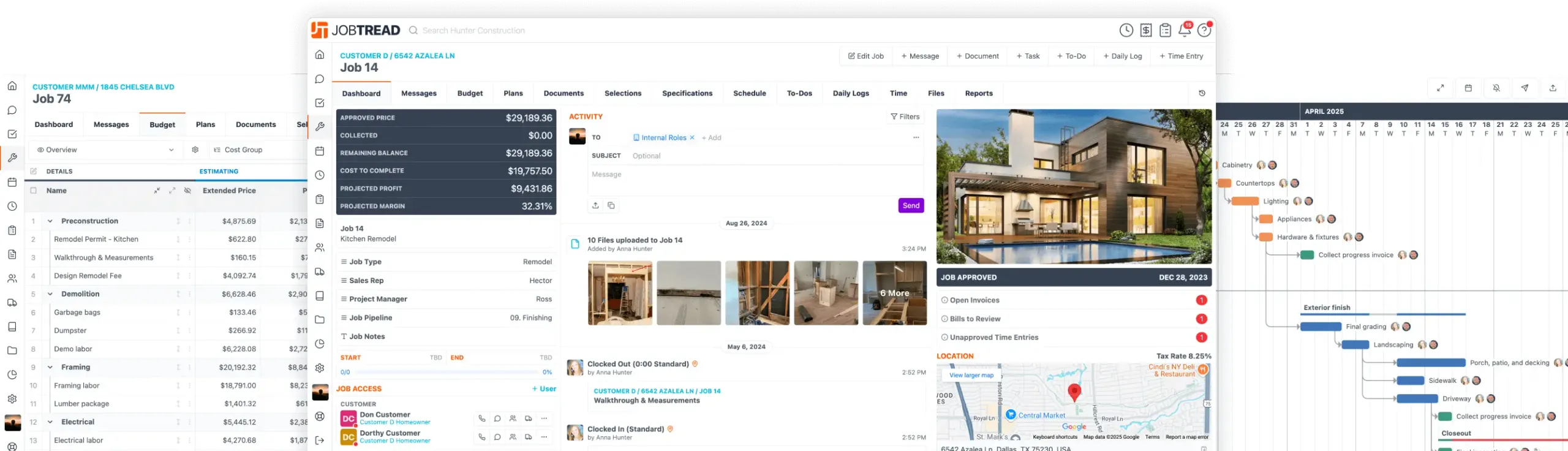
Change the time interval showing in your job and organizational Gantt schedule. These changes will also reflect in PDFs!
- In your job or organization schedule, choose Gantt from the display type.
- Within the Gantt view, on the top-right of the schedule, there are now two magnifying glass icons.
- Use these to zoom out to see a longer time interval on the schedule, or to zoom in to see a shorter time interval on the schedule.
- Now when you export as a PDF, the zoomed in or zoomed out Gantt view you created will be shown in the PDF.
Enhance your schedule viewing quickly and easily.

Free Construction Business eBook
10 Strategies for Construction Business Owners Aiming to Grow and Endure
Home Builders
Remodelers
Pool Builders
And More!

All-in-One Construction Management Software
- Construction CRM
- Estimating
- Takeoff
- Contracts & eSignatures
- Cost Catalog
- Bid Requests
- Lead Management
- Mobile App
- Tasks & Scheduling
- Daily Logs
- Time Tracking
- Files, Photos, & Videos
- Sub & Vendor Portals
- Specifications
- Budgeting
- Change Orders
- Job Costing
- POs & Work Orders
- Sub & Vendor Billing
- Customer Invoices
- Reporting & Dashboards
- Customer Portals
- Selections & Allowances
- Communication & Messaging
- Homeowner Financing
- Collect Online Payments
- Warranties
Let's elevate your company to new levels of success.
See how JobTread will get you organized, save you time, and increase your profits.
Sign Up Today