
Markup Versus Profit Margin: What Contractors Need to Know (With Formulas & Examples)
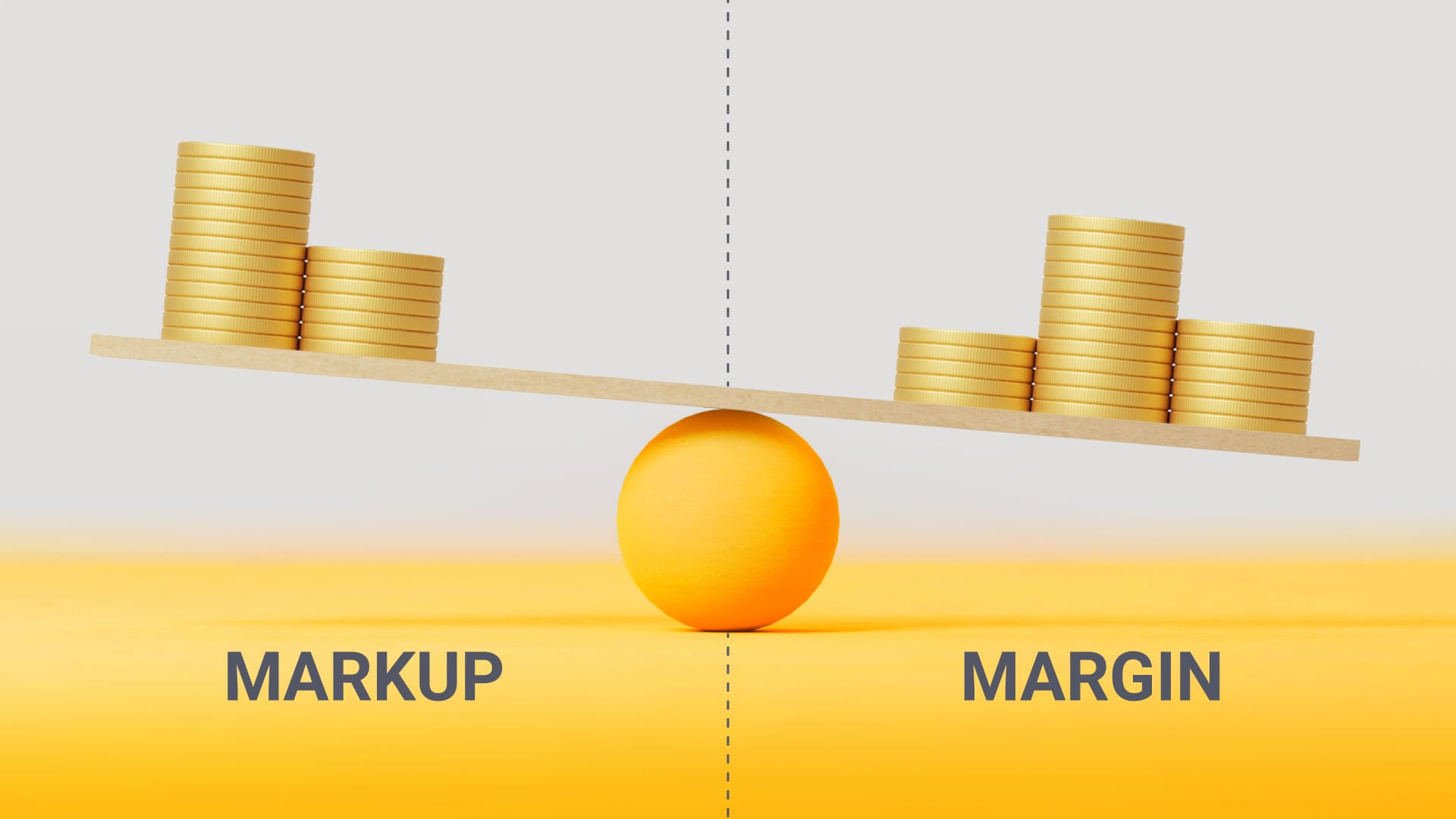
Confused about markup vs. profit margin? Learn the key differences, formulas, and real examples contractors use to price jobs accurately and protect profits.
Markup vs. profit margin is one of the most misunderstood concepts in construction, and it’s one of the fastest ways contractors lose money without realizing it.
If you’re pricing jobs using markup but thinking in terms of margin, you could be underpricing your work without realizing it, especially without a clear construction job costing system.
Here’s the key difference:
- Markup = the percentage added to your cost to determine price
- Margin = the percentage of the final price that is profit
A 30% markup only results in about a 23% profit margin, not 30%.
Markup vs. Margin (Quick Comparison)
Why This Matters for Contractors
Confusing markup and margin is one of the most common mistakes that contractors make when they’re not using construction estimating software.
Pro Insight
Most contractors price jobs using markup because it’s easier, but margin is what actually determines profitability and long-term growth.
What is the Difference?
Did you know that a 30% markup will only get you a 23% profit margin? The difference lies in the basic calculations.
Markup
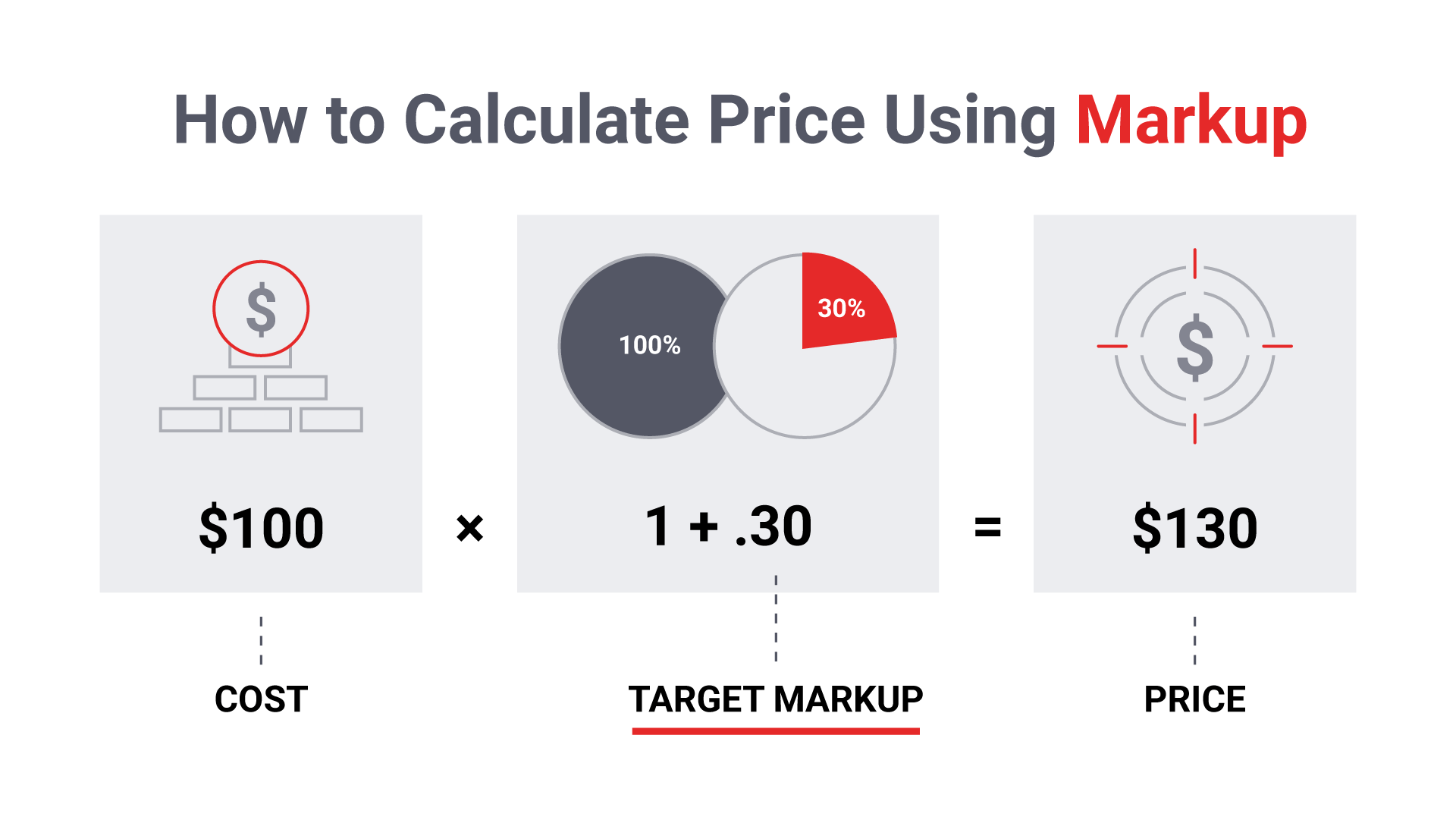
Markup refers to the percentage of an item’s cost that will be added to establish the sales price of an item.
For example, if you purchase lumber for $100, marking up the lumber by 30% of the original cost would add $30. Therefore, the sales price for the customer will be $130.
$100 x (1 + 30%) = $130
Margin
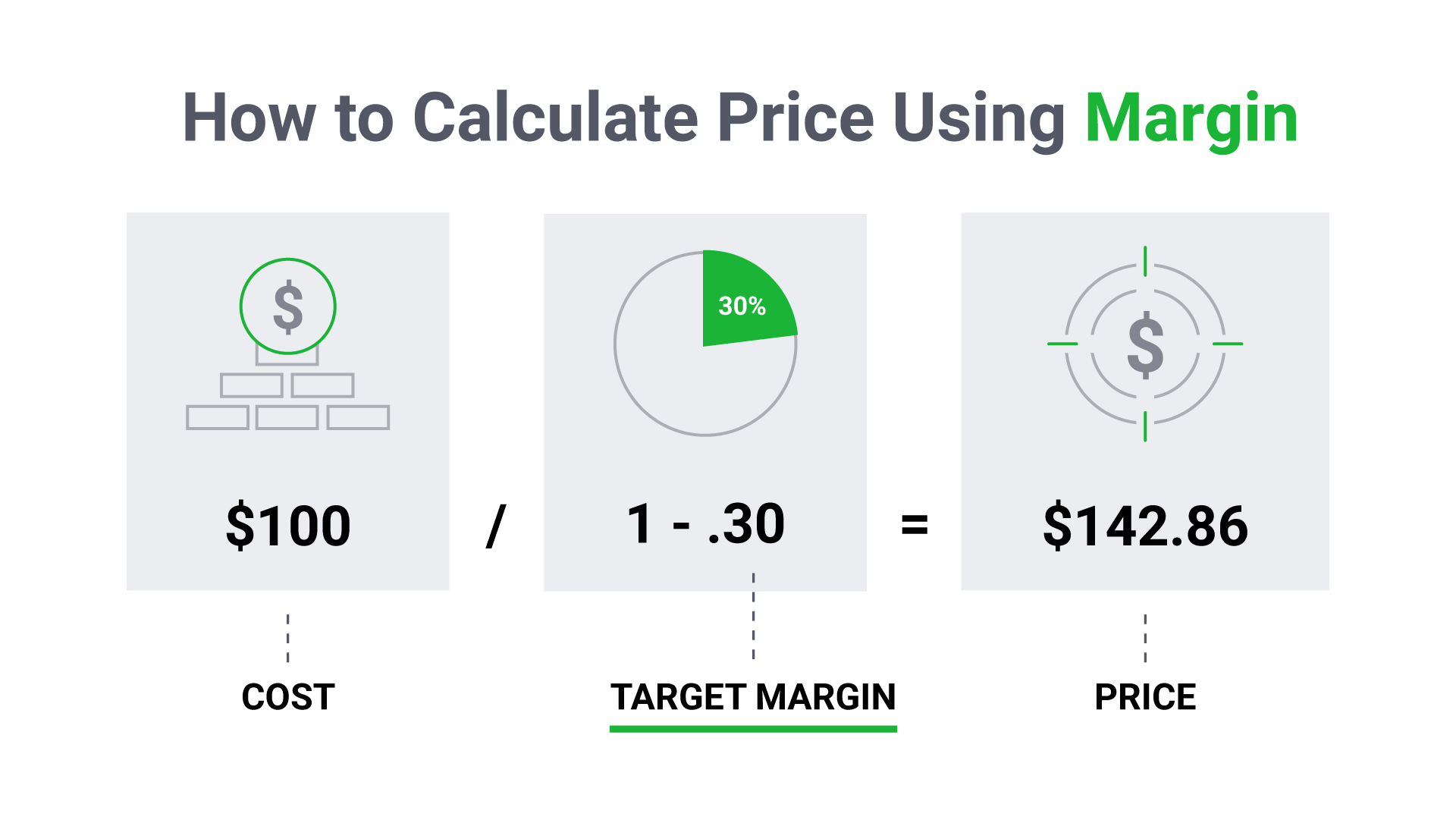
Margin is the percentage of profits you earn relative to your sales. Margin = (Price - Costs) / Price.
You may have already noticed that margin is a standard line item on your income statement, making it a great tool for measuring your business and project performance. Using the example above, your profit margin is only 23%. It is calculated as follows ($130 - $100) / $130 = 23.07%
Using the example above, the sales price for the lumber using a 30% margin is $142.86.
$100 / (1 - 30%) = $142.86
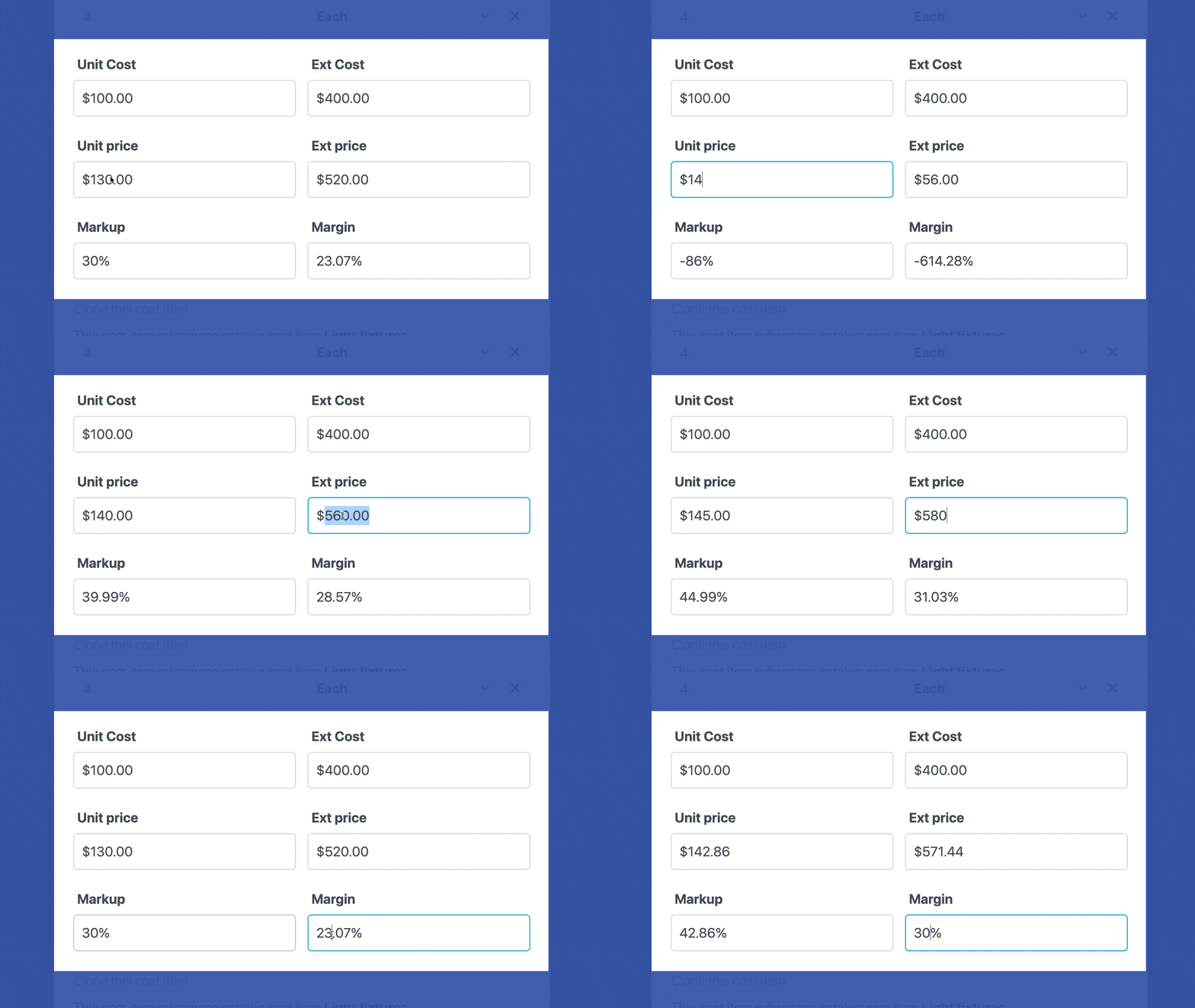
For quick reference, here is a chart showing your margin using various markup percentages.
When Should You Use Markup vs. Margin?
You should use markup when estimating job costs, and profit margin when measuring profitability and financial performance.
- Use markup when:
- Building estimates from cost
- Adding a percentage to materials and labor
- Quickly calculating a selling price
- Use profit margin when:
- Tracking how much profit you actually made
- Setting financial goals for your business
- Evaluating job performance and overall profitability
While markup is useful for estimating, profit margin gives you a more accurate picture of your business health because it’s based on the final selling price, not just cost.
For long-term success, contractors should estimate with markup but manage their business using margin.
Why JobTread Recommends Using Margin?
Knowledge is power, and in construction, that means knowing your actual and projected profit margins at all times. This level of clarity starts with a consistent job costing system for construction projects that tracks every dollar from estimate to final invoice.
If a project falls short, margin-based tracking gives you the visibility to dig into the details to uncover missed costs, change order gaps, or budget overruns. With access to real-time construction financial reporting, you can identify issues early and make adjustments before they impact your bottom line.
Take Control of Your Profit Margins
If you’re still relying on spreadsheets or markup-based pricing, you may not be seeing the full picture of your profitability.
JobTread gives contractors the tools to:
- Set target profit margins for every job
- Automatically generate accurate pricing using built-in estimating tools
- Track real-time job costs and financial performance
- Eliminate guesswork with a true single source of truth
Instead of wondering where your profit went, you’ll know every step of the way.
See how contractors are using construction management software to increase profit margins and gain complete financial clarity.
Feeling overwhelmed? Don’t worry!
Profit margin calculators, like JobTread’s built-in tool, will simplify estimating by doing the math for you to ensure you secure the profit margin you are targeting!
Sign up for a live demo to see how JobTread can automate your margin calculations and ensure you meet your target profit!
Schedule A DemoFrequently Asked Questions
Markup is the percentage added to the cost of a job to determine the selling price, while profit margin is the percentage of the final price that is profit. Margin always results in a lower percentage than markup for the same job.
To achieve a 30% profit margin, you need approximately a 43% markup.
Profit margin is calculated based on the final selling price while markup is calculated based on cost. Because of this difference, margin will always be lower than markup for the same numbers.
Contractors often use markup for estimating, but profit margin is the better metric for measuring true profitability and long-term business performance.
To convert markup to margin:
Margin = Markup ÷ (1 + Markup)
A good profit margin in construction typically ranges from 10% to 20% net profit, depending on the size of the company, project type, and level of risk.
- 10%–15% → common for competitive markets
- 15%–20%+ → strong, healthy margin
- 20%+ → often indicates highly efficient operations or premium pricing
It’s important to note that your markup must be higher than your target margin to achieve these results. For example, to reach a 20% profit margin, you need approximately a 25% markup.
Many contractors track and improve their margins using construction financial tracking and reporting tools to ensure every project stays profitable.
Use markup to set your price and profit margin to measure your profit.
- Markup is used when estimating costs and building your price
- Margin is used to track profitability and evaluate performance
While markup helps you calculate pricing, margin shows how much you actually keep, making it the more important metric for managing your business.

Eric Fortenberry serves as Founder and CEO of JobTread, a construction estimating and project management software platform that has helped thousands of builders and contractors sell and manage billions in construction jobs.